Digital engineering demonstration
Urban road and drainage upgrade
One connected workflow, from survey surface to civil model, quantities, estimate, programme and cash flow. Every number on this page traces back to the same model.
Length
600 m urban road
Scope
Road, drainage, culvert, retaining wall
Estimate
$3.04M (illustrative)
Programme
28 weeks
Software
Civil 3D, Navisworks, Expert Estimation, MS Project
Six steps, one set of information
- 01
Civil model
- 02
Model quantities
- 03
First-principles estimate
- 04
Construction programme
- 05
4D simulation
- 06
5D cash flow
01
Civil model
Autodesk Civil 3D
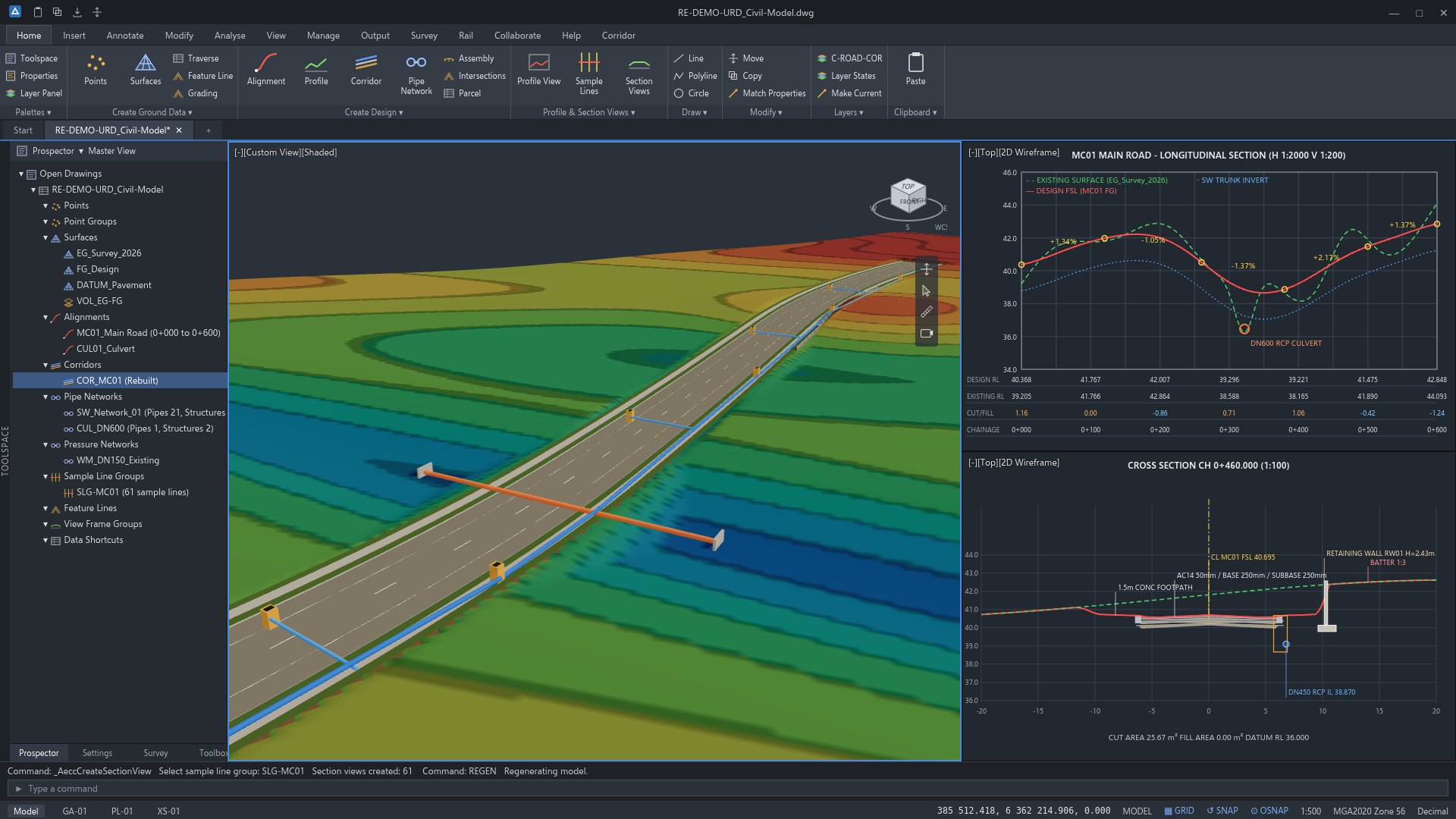
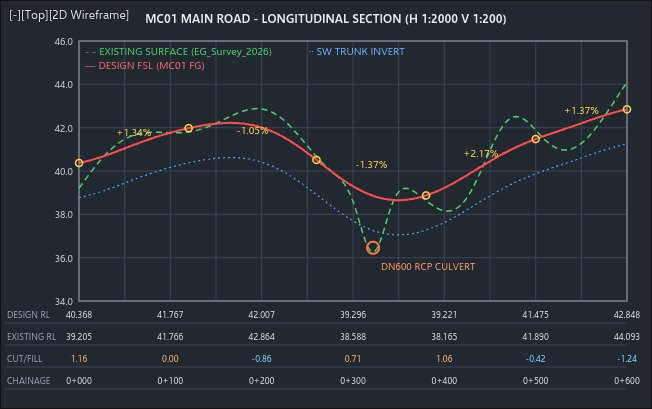
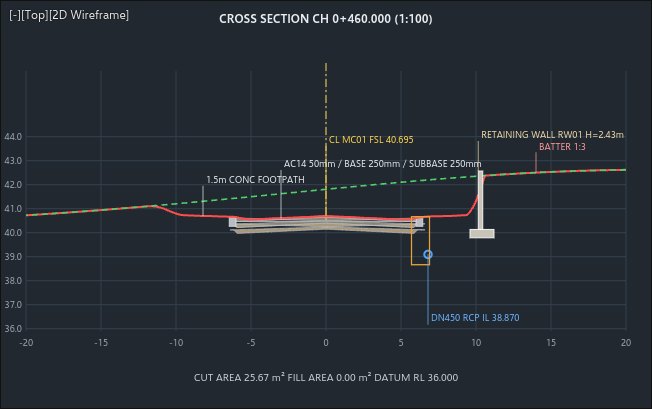
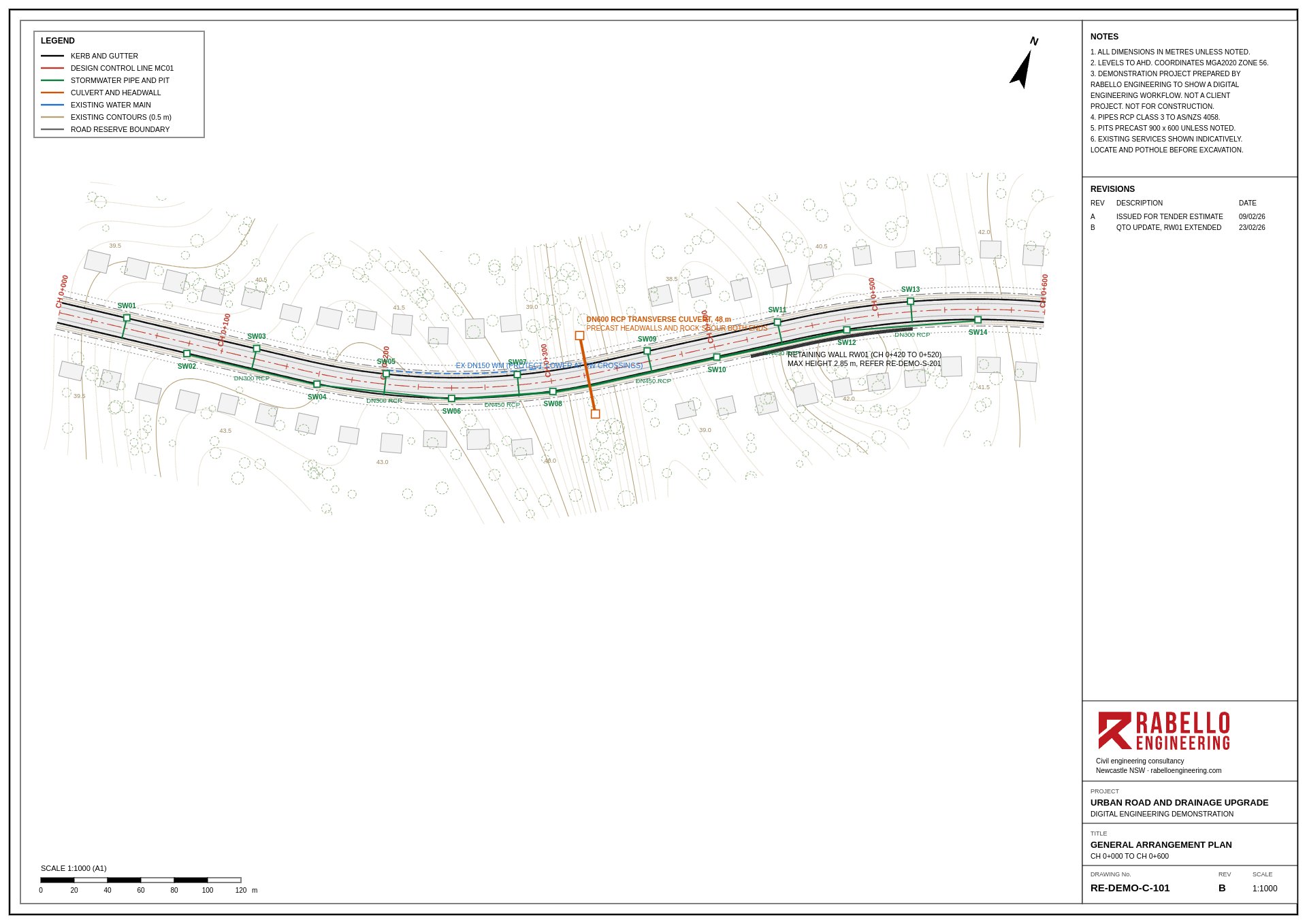
We built the existing ground surface from survey, then designed the alignment, vertical profile and corridor for a 12 m carriageway with kerb and gutter, footpaths and 1:3 batters.
The stormwater network has 14 grade pits, a DN450 trunk line falling to a DN600 transverse culvert at CH 0+322, and a 100 m retaining wall where the road cuts into a hill. The existing DN150 water main is modelled too, so the drainage crossings can be checked early.
02
Model quantities
Autodesk Navisworks Quantification
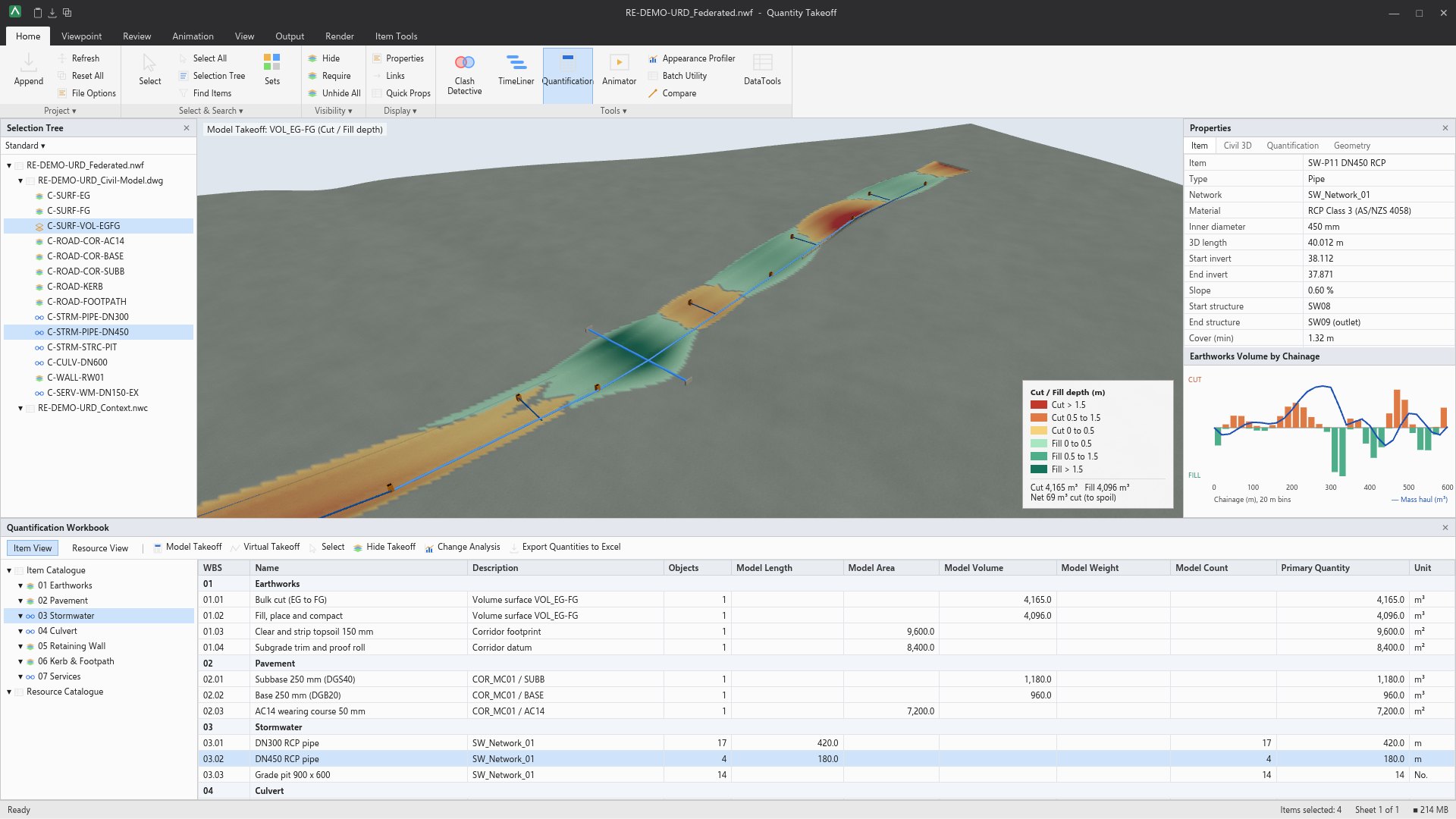
Quantities come straight from the model instead of being scaled off drawings. Cut and fill are measured between the existing and design surfaces, pavement layers from the corridor, and pipes and pits from the network.
The earthworks nearly balance: 4,165 m³ of cut against 4,096 m³ of fill, leaving 69 m³ to spoil. The mass haul line shows where material needs to move along the job.
- Bulk cut
- 4,165 m³
- Fill, place and compact
- 4,096 m³
- Subbase DGS40, 250 mm
- 1,180 m³
- Base DGB20, 250 mm
- 960 m³
- AC14 wearing course
- 7,200 m²
- DN300 RCP
- 420 m
- DN450 RCP
- 180 m
- Grade pits
- 14 No.
- DN600 transverse culvert
- 48 m
- Retaining wall concrete
- 185 m³
03
First-principles estimate
Expert Estimation
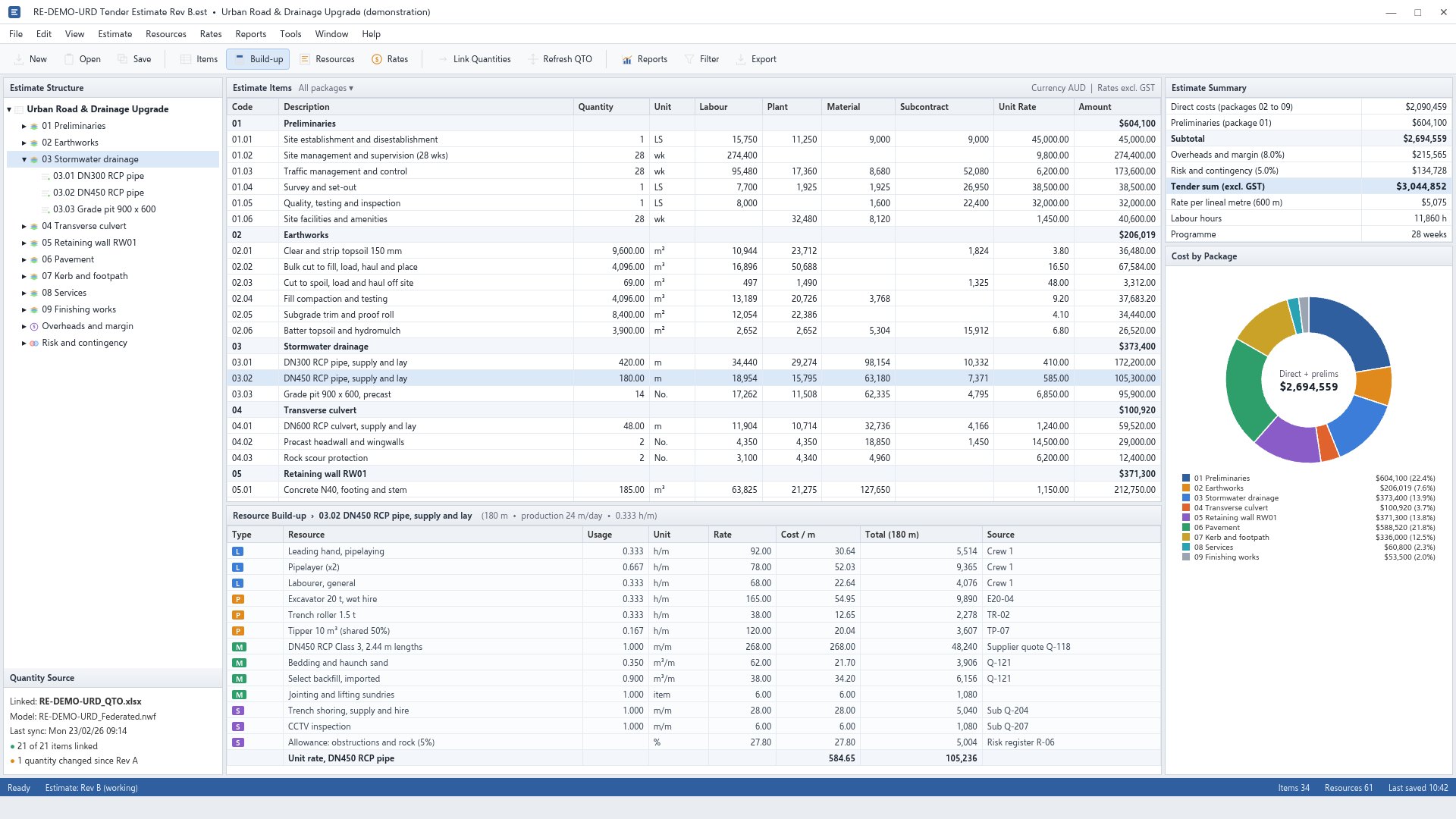
Each model quantity is priced from its resources: crew hours, plant, materials and subcontract quotes, at a stated production rate. The DN450 pipe, for example, is laid at 24 m a day, which builds up to $584.80 per metre.
Because the estimate is linked to the quantity source, a design change flows through as a quantity change, not a re-measure.
- Direct costs
- $2,090,459
- Preliminaries
- $604,100
- Overheads and margin (8%)
- $215,565
- Risk and contingency (5%)
- $134,728
- Tender sum, excl. GST
- $3,044,852
04
Construction programme
Microsoft Project
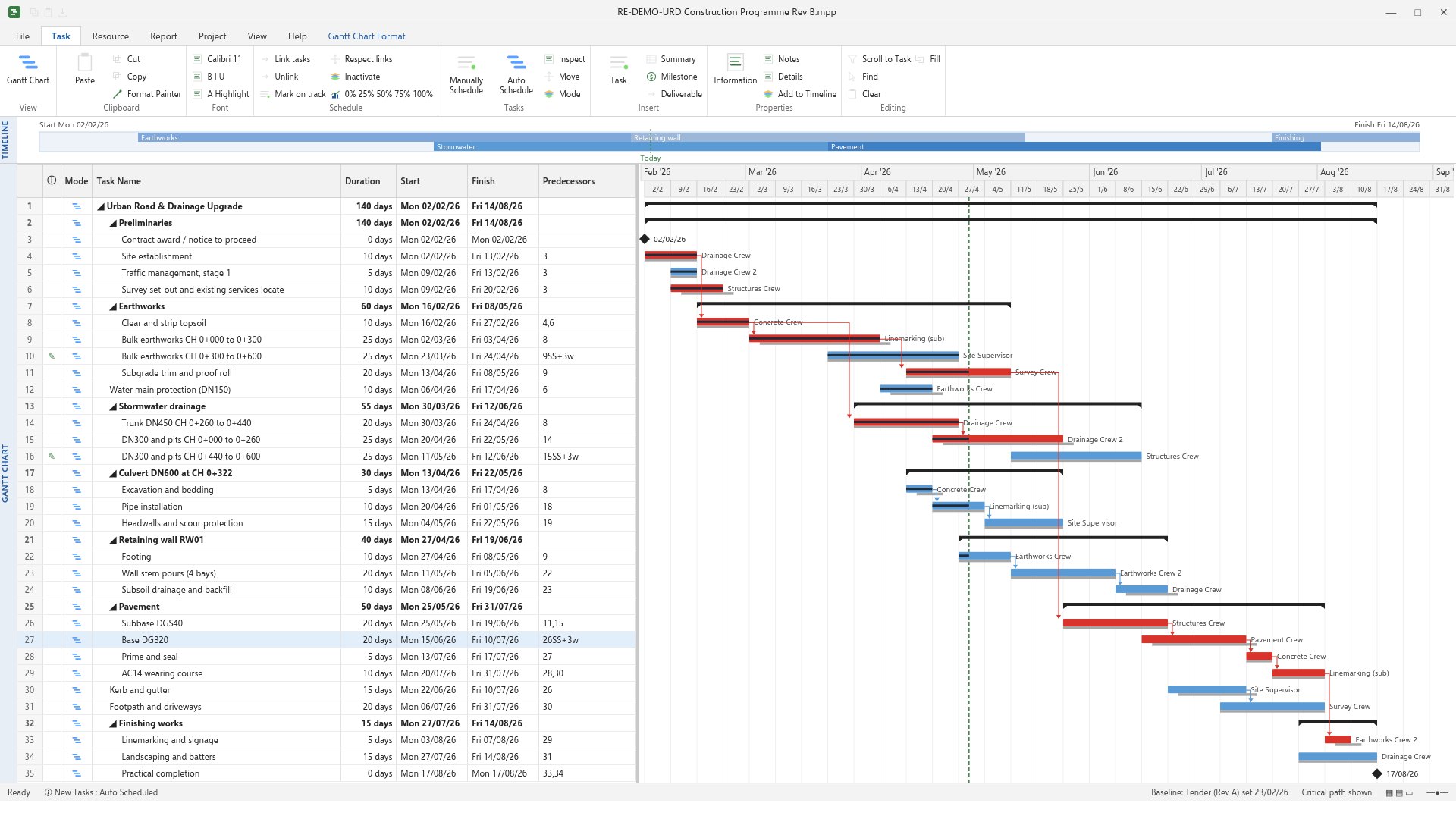
The programme follows the methodology behind the estimate: the same crews, production rates and staging. It runs 28 weeks, from Monday 2 February to Friday 14 August 2026.
The critical path runs through stripping, bulk earthworks and subgrade, then subbase, base, seal and asphalt. The culvert and retaining wall sit off the critical path with float, which makes them useful for levelling crews.
05
4D simulation
Autodesk Navisworks TimeLiner
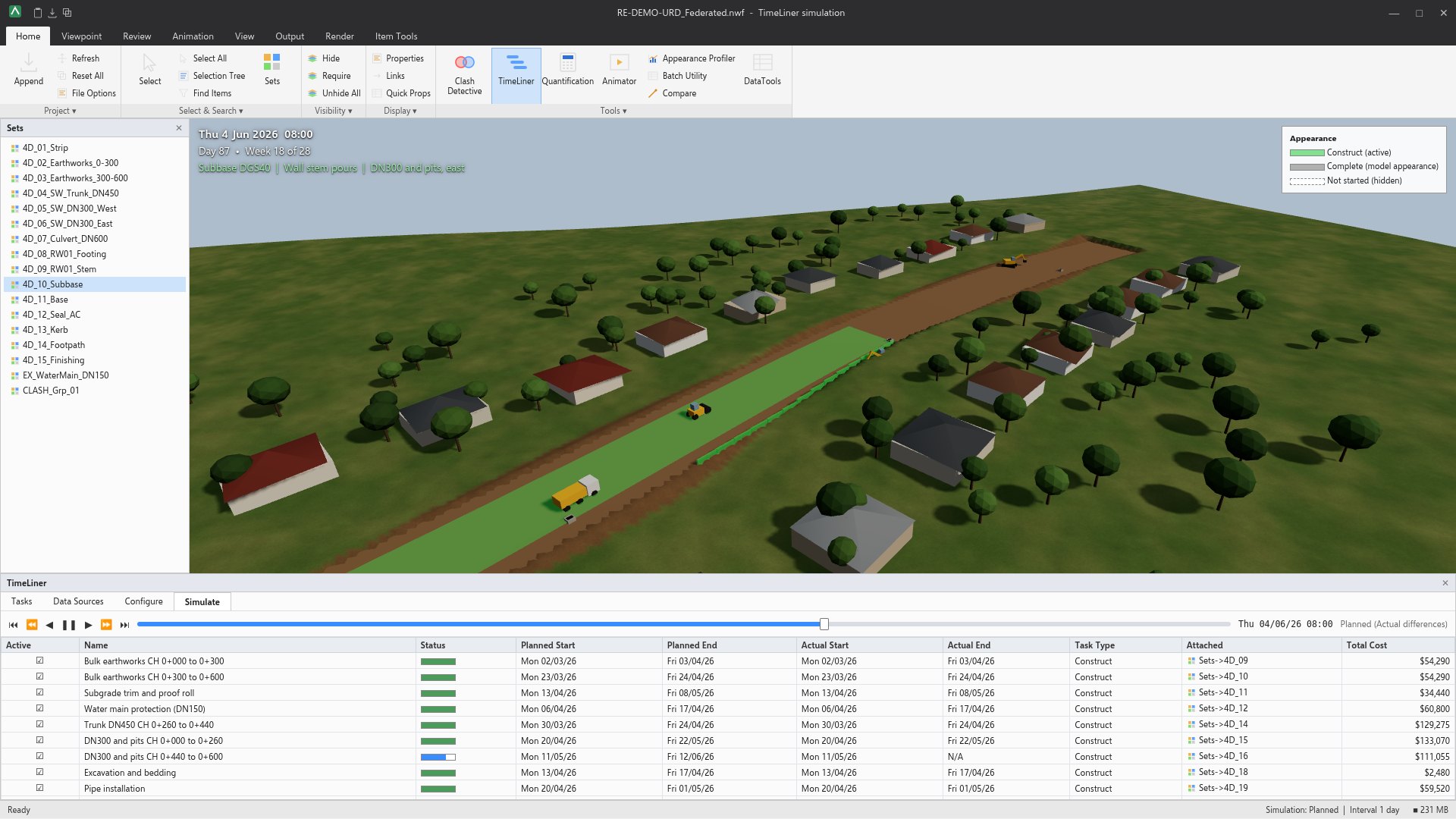
Each programme task is linked to a set of model elements, so the sequence can be played back day by day. This is where staging problems show up: plant working next to the wall pours, traffic switches, and the drainage crossings near the water main.
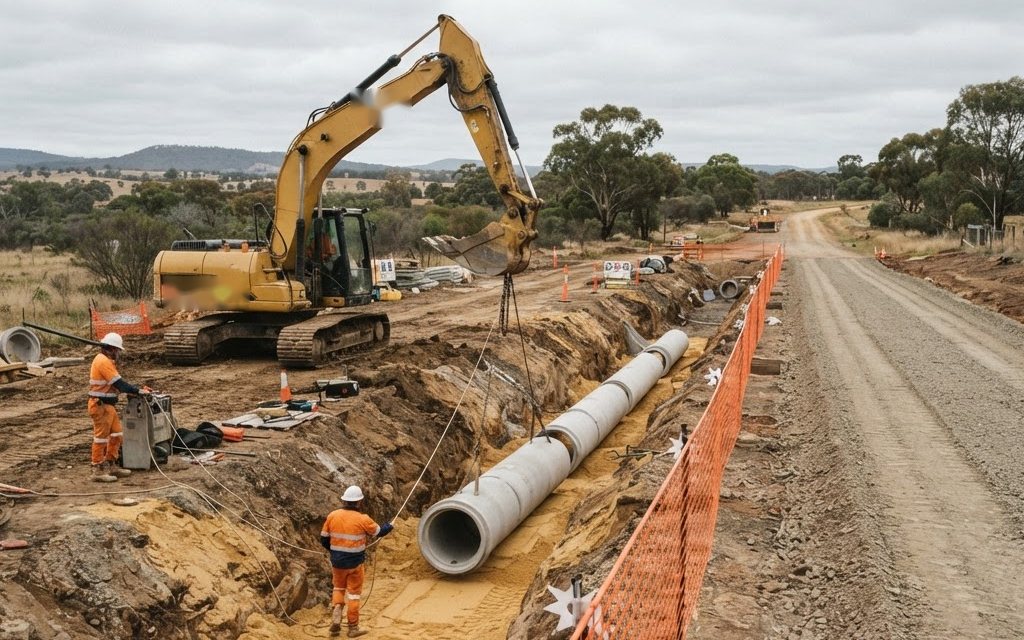
Figure 8 shows week 18, with the subbase going down, the wall stem being poured and the eastern drainage still in progress.
06
5D cash flow
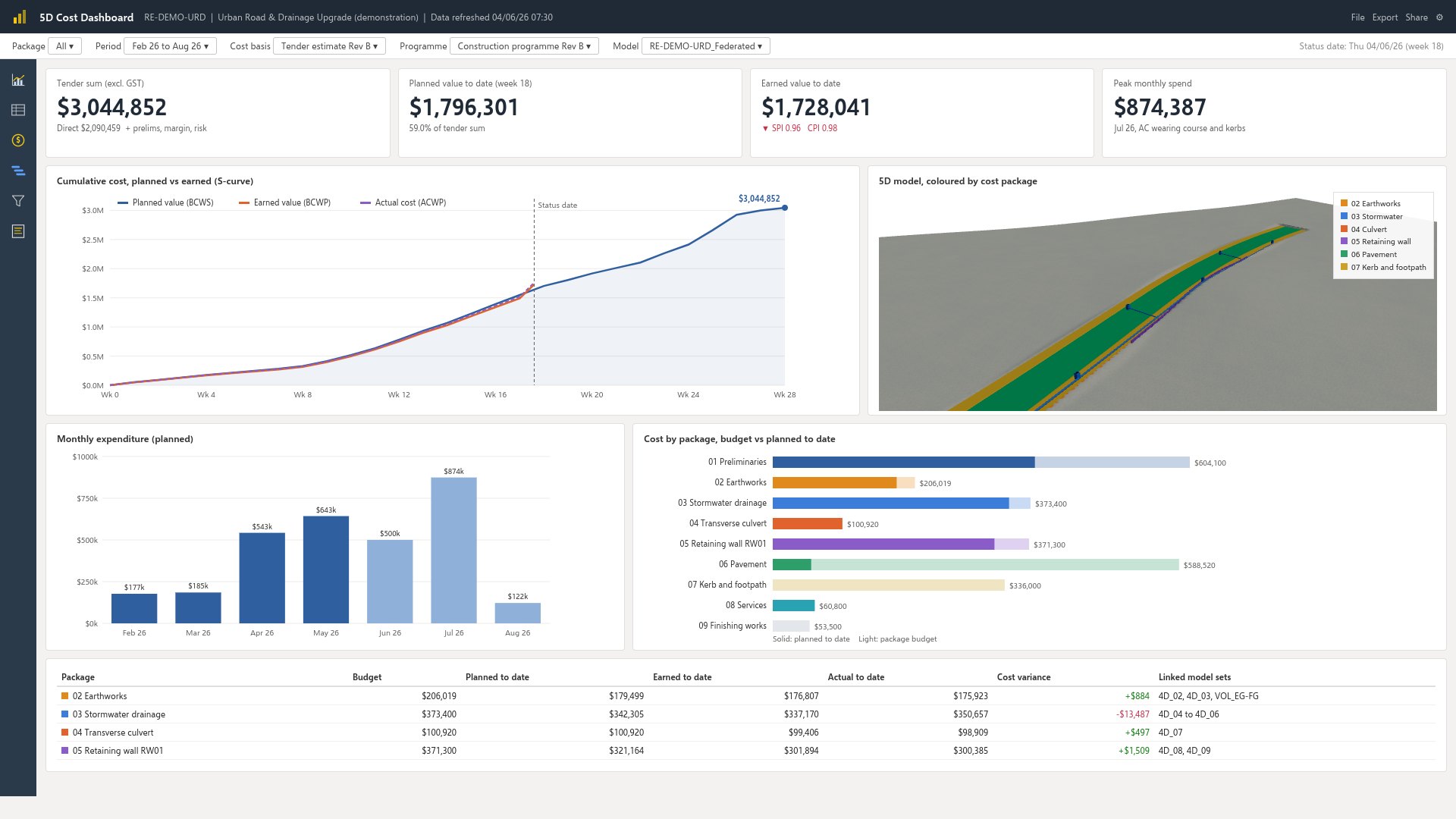
Cost dashboard linked to the model and programme
Spreading each estimate line across its programme task gives a planned cash flow. Spend peaks in July 2026 at about $874,000, when the asphalt and kerbs go down.
Once work starts, planned, earned and actual cost can be tracked against the same baseline. At week 18 the example shows a schedule index of 0.96 and a cost index of 0.98.
What the model describes
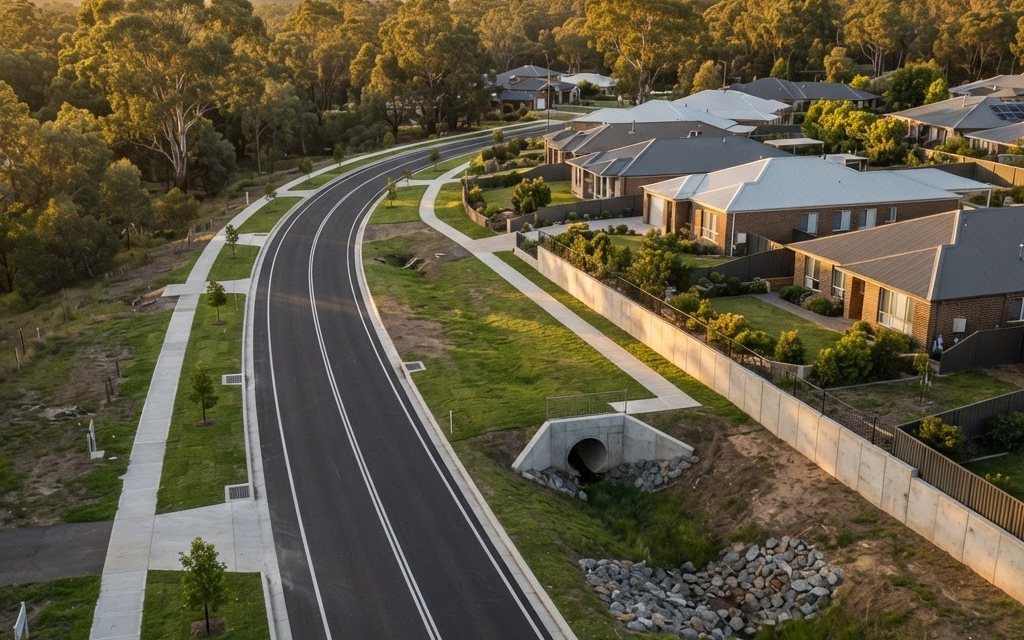
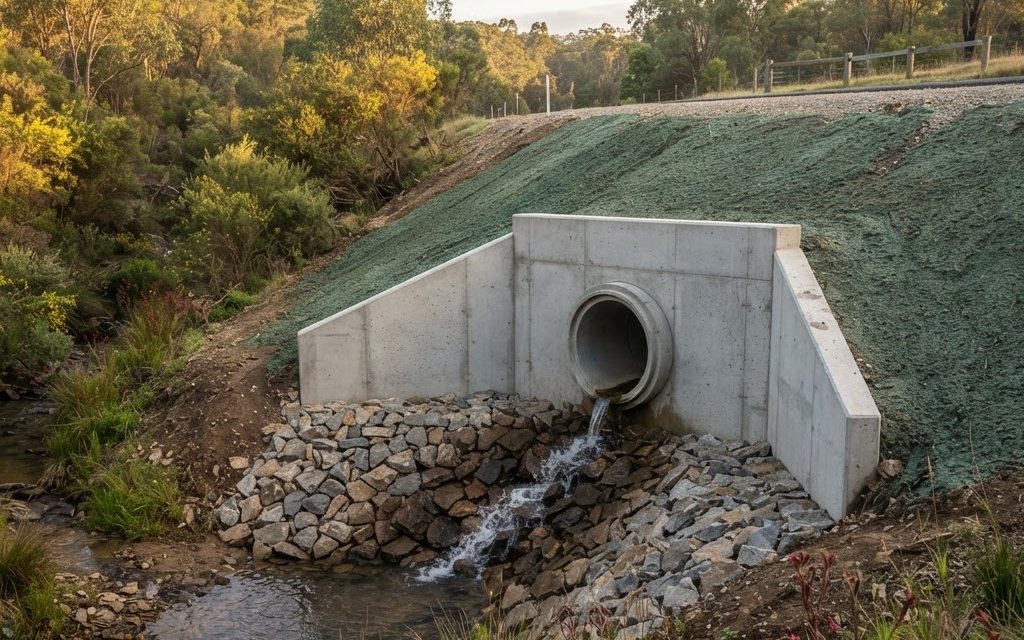
Illustrations of the finished road and the culvert outlet. Both are AI-generated images, included to show the kind of works the model represents.
Use as much or as little as the job needs
Many tenders only need model quantities and a solid estimate. Others benefit from 4D staging or a cost-loaded programme. We will tell you which is worth it before any work starts.
Digital engineering services